
The most common setup question we get isn’t about Firesticks or Android boxes. It’s simpler: “I just have the TV. Can I watch on that?” For most Canadians with a Samsung, LG, or Sony from the last several years, the answer is yes, an IPTV smart TV setup works with no extra hardware at all. The catch is that each TV brand takes a different road to get there, and one of the three roads is genuinely smoother.
This guide covers IPTV smart TV setups in Canada brand by brand: which apps to install on Samsung’s Tizen, LG’s webOS, and Sony’s Google TV, the exact login flow, when a $60 stick beats the built-in apps, and the fixes for the quirks each platform is known for.
How IPTV Works on a Smart TV
The IPTV smart TV recipe follows the same principle as every other device: a player app from your TV’s app store plus the three login details from your provider (server URL, username, password). The app pulls your channels, guide, and on-demand library over your internet connection; nothing is installed “into” the smart TV beyond a normal app. With an IPTV Canada subscription that means 25,000+ live channels and 120,000+ VOD titles on the TV you already own; grab a 24-hour free trial so you have credentials to test with as you follow along.
Internet requirements are the same as everywhere: about 20 Mbps free for HD, 25+ for 4K, and a preference for wired or 5 GHz Wi-Fi. TVs are the devices most often stuck far from the router, which is why half of IPTV smart TV “app problems” are actually signal problems; keep that in mind before blaming Samsung.
Samsung Smart TVs (Tizen)
Samsung owns the biggest slice of Canadian living rooms, and its app store situation is the most changeable. Search the store for “IPTV Smarters” or “Smarters Player”; availability varies by model year and the store’s mood that month. The reliable fallback is a paid TV-native player like IBO Player or Flix-style apps: install from the store, and these use a different login flow worth understanding.
The MAC-address flow: TV-native players often show a MAC address and ask you to visit the app’s website from your phone, enter that MAC, and upload your playlist details there. It feels roundabout the first time, but it’s a one-time step: enter the M3U or Xtream details from your welcome email on the activation page, restart the app, and your lineup appears. Our support chat walks Samsung owners through this daily; it’s a five-minute job with the email open.
Samsung quirks to expect: older Tizen models (roughly pre-2018) have stores too thin for any good player, apps occasionally vanish from the store between updates, and the TV remote’s app-navigation is clunkier than a stick’s. If any of that bites, skip ahead to the stick section.
LG Smart TVs (webOS)
LG’s IPTV smart TV story mirrors Samsung’s: search the Content Store for “IPTV” and you’ll find a similar cast of players, with the same MAC-activation pattern on the TV-native options. webOS’s pointer remote actually makes IPTV browsing pleasant once an app is installed; flicking through a channel list with the magic remote is one of the better couch experiences.
LG-specific notes: stick to apps with substantial review counts (webOS has its share of hollow clones), and if your model predates 2019, test the trial before assuming smooth 4K, since older webOS hardware decodes modern streams unevenly. Newer LG models handle everything our service sends without complaint.
Sony, TCL, Hisense and Other Google TV Sets
If your TV runs Android TV or Google TV, and most Sony, TCL, and many Hisense sets in Canada do, you’re on the smooth road. The full Google Play catalogue applies: install IPTV Smarters Pro for the familiar three-field Xtream login, or TiviMate if you want the best live-TV guide in the business. No MAC addresses, no activation websites, no store roulette. Log in exactly as you would on a Firestick and you’re watching in minutes.
This platform difference is real enough that we mention it to TV shoppers: two otherwise similar TVs can differ meaningfully in IPTV friendliness purely on their operating system, and Google TV sets are the friendliest for any IPTV smart TV plan.
Smart TV Platforms at a Glance
| Platform | App Situation | Login Style | IPTV Experience |
|---|---|---|---|
| Google TV (Sony, TCL, Hisense) | Full Play Store: Smarters, TiviMate | Direct Xtream login | Excellent |
| Samsung Tizen | Variable; TV-native paid players | Often MAC activation | Good with the right app |
| LG webOS | Variable; similar cast to Samsung | Often MAC activation | Good; great remote |
| Older/other Smart TVs | Thin stores | — | Use a stick instead |
Secure Payment
Visa, MC, PayPal, Interac
7-Day Money Back
Full refund, no questions
24/7 Support
Response within minutes
Canadian Service
13+ years in Canada
The 15-Minute Universal Setup Checklist
Whatever the brand, the IPTV smart TV setup runs the same shape. Work through it in order and you’ll be watching before the kettle boils twice:
- Confirm the TV is online and on the 5 GHz band if it’s wireless; run the TV’s built-in network test.
- Install the right player for your platform: Smarters or TiviMate on Google TV, a well-reviewed TV-native player on Tizen and webOS.
- Have the welcome email open on your phone before launching the app; the three credentials type faster from a second screen.
- Log in via Xtream fields or MAC activation, whichever your app uses, and let the first channel sync finish without impatience; 25,000 channels take a minute.
- Set the guide to auto-update, pin your favourites, and hide the channel groups your household will never open.
- Play your hardest channel, the busiest HD sports feed you care about, for five minutes before declaring victory.
Picture Quality on the Big Screen: Getting True 4K
A 65-inch panel is where stream quality stops being theoretical, and the good news is that modern sets flatter good streams: HD sports feeds look genuinely broadcast-grade, and 4K sources shine. Three settings decide most of the experience. First, bandwidth: 4K wants 25 Mbps actually reaching the TV, which on distant wall-mounted sets usually means 5 GHz Wi-Fi or a wire.
Second, the TV’s own motion smoothing: sports viewers tend to prefer it low or off, since aggressive interpolation adds artifacts to fast play. Third, the app’s player engine: if a stubborn stream stutters on an otherwise healthy IPTV smart TV setup, switching the in-app decoder (most players offer two or three) resolves it more often than any other single change.
Households chasing reference quality should also check the TV’s picture mode per input: app video often defaults to a harsher mode than HDMI sources. Two minutes in picture settings, once, upgrades every night after.
When a $60 Stick Beats the Built-In Apps
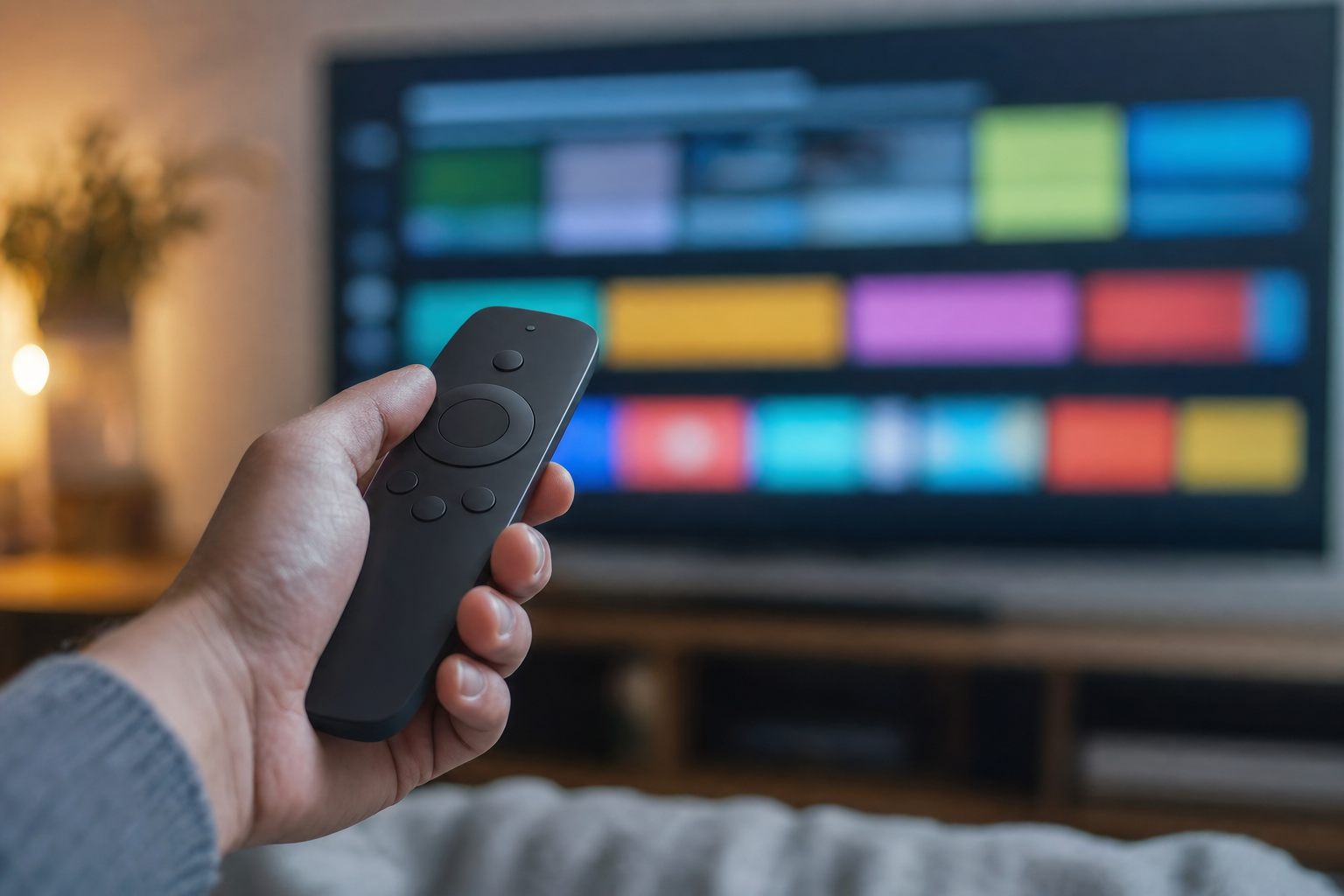
Honest guidance, since we support both IPTV smart TV setups: the built-in route is genuinely fine on recent Google TV sets and on Samsung/LG models where a good player installed cleanly. Reach for a Firestick or Android box instead when the TV is older, the store won’t cooperate, the built-in apps stutter, or you simply want the faster interface a dedicated device brings.
Plugging a stick into a Smart TV isn’t defeat; it’s upgrading the TV’s brain for the price of a pizza night, and every credential in this guide works identically there. The trade-offs across sticks and boxes are mapped in our IPTV box guide, and the Firestick guide covers that path step by step.
IPTV Smart TV vs the Same Service Everywhere Else
A question worth answering before you commit to the built-in route: does watching on the TV’s own apps cost you anything versus a stick, a box, or a phone? Functionally, no. The IPTV smart TV experience draws from the same subscription, the same servers, and the same channel lineup as every other device on your plan; picture quality is identical on identical internet. The differences are interface texture: dedicated devices switch channels a beat faster and get app updates sooner, while the TV-native route wins on simplicity, one remote, and zero extra hardware in the cabinet.
The practical takeaway is freeing: your choice isn’t permanent, and it isn’t even exclusive. The same login runs the bedroom TV’s built-in app, the living room’s Firestick, and the phone in your pocket simultaneously within your plan’s connections. Most households end up hybrid without planning to, and the IPTV smart TV apps hold their own as the daily driver in the rooms where simplicity matters most.
Three IPTV Smart TV Setups We See Daily
- The 2023 Samsung in a Mississauga condo: IBO Player from the Tizen store, MAC-activated in five minutes with support on chat, favourites pinned to the Canadian news and sports row. The owner’s only hardware purchase since cutting a $102 cable bill: nothing.
- The Sony Google TV in a Calgary family room: IPTV Smarters Pro from Google Play, straight Xtream login, kids’ groups pinned and adult groups PIN-locked. TiviMate arrived a month later for the hockey guide, both apps sharing one login without drama.
- The 2017 LG in a Halifax basement: the webOS store had nothing worth trusting, so a $60 Firestick took over HDMI 2. The panel is excellent, the TV’s brain retired, and the whole setup still cost less than one month of the old bundle.
Three brands, three roads, one subscription. That’s the honest shape of the IPTV smart TV landscape in Canada this year: the destination is identical, and the only variable is how many minutes your particular TV spends getting there.
Keeping the TV Apps Healthy
Smart TVs accumulate digital clutter slower than phones but faster than sticks, and IPTV apps feel it first because they’re the heaviest thing most TVs run. Three habits keep the IPTV smart TV experience crisp for years. Restart the TV properly every couple of weeks (a real power cycle, not just the standby button), since weeks of standby fragment memory on cheaper sets.
Let the player app update when it asks; EPG formats and stream protocols evolve, and stale players are behind half the “channels stopped loading” messages we see. And once a season, clear the player app’s cache from the TV’s app settings, which resolves the slow-guide creep that owners assume is the TV aging.
If an app misbehaves beyond that, uninstall and reinstall before troubleshooting deeper: on TVs it takes three minutes, your login recreates everything, and it fixes more than it has any right to.
Buying a New TV? The Two-Minute IPTV Check
If a new set is on the horizon anyway, add one question to the showroom checklist: which operating system does it run? A Google TV badge on a Sony, TCL, or Hisense means the full Play Store and the strongest IPTV smart TV app selection in the market, no activation websites, no store roulette. Samsung and LG panels are superb, but their app stores are the variable, and you now know exactly what that variability costs in setup minutes.
Don’t let this outweigh picture quality or price; a stick fixes any store for $60. But between two otherwise equal sets, the operating system is a genuine tiebreaker, and it’s one the salesperson almost never mentions. The best IPTV smart TV purchase is usually the TV you were already going to buy, chosen with thirty seconds of extra attention to the software inside it.
Smart TV Troubleshooting: The Big Four
- App missing from the store: it happens, especially on Tizen and webOS. Try the developer’s alternate app names, or ask our support for the current recommendation for your exact model year.
- MAC activation “not working”: ninety percent of cases are a typo’d MAC or details entered on the wrong app’s website. Match the app name to the site, copy the MAC exactly, restart the app after saving.
- Buffering only on the TV while phones stream fine: distance and walls. The TV needs 5 GHz signal or a wire; the buffering guide has the powerline-adapter fix that ends this permanently.
- Guide shows wrong times: the app’s time zone setting, not the service. Set your Canadian zone in app settings and the EPG snaps into place.
The Bottom Line for Smart TV Owners
Your existing TV is almost certainly enough to start. Google TV owners have the easiest evening ahead; Samsung and LG owners have one extra activation step; owners of older sets have a $60 decision to make. In every case the IPTV smart TV path costs nothing to test: request the trial, install the right app for your brand from the sections above, and put your own TV through a real evening before any money moves. Plans start at CA$4.92/mo effective on the annual tier via the pricing page, and the picture on the wall stays exactly where it always was, minus the cable bill under it.
A closing thought before the quick answers. The Smart TV was sold to Canadians as the device that would simplify television, and for years it mostly simplified buying more subscriptions. Pairing it with an IPTV smart TV app is the first time most owners feel the hardware living up to the promise: every channel, every league, and a six-figure on-demand library behind the one screen the household already gathers around. The panel was never the problem; it was just waiting for better software and a fairer bill.
Test it tonight, on the TV you already own, and let the evening make the decision for you.
IPTV Smart TV Questions, Answered
Can I use IPTV on my Smart TV without a Firestick?
Yes, on most Samsung, LG, and Google TV sets from the last several years. Install a player app from your TV’s store, enter your subscription credentials (directly or via MAC activation on TV-native players), and you’re watching. A stick only becomes worthwhile on older sets or when the built-in store lacks a good player.
What is the best IPTV smart TV app?
On Google TV sets (Sony, TCL, Hisense): IPTV Smarters Pro for simplicity or TiviMate for the best live guide. On Samsung Tizen and LG webOS, well-reviewed TV-native players like IBO Player lead, using MAC-based activation. Your IPTV Canada login works in all of them.
Why does my Samsung or LG app ask for a MAC address?
TV-native players activate through the developer’s website instead of an in-app login. You visit their activation page from a phone, enter the MAC the app displays, and paste in your playlist details from the welcome email. It is a one-time, five-minute step, and support can walk you through it live.
What internet speed does a 4K smart TV stream need?
About 25 Mbps actually reaching the TV. Total plan speed matters less than the signal at the set: distant wall-mounted TVs on 2.4 GHz Wi-Fi are the classic buffering culprits, and a 5 GHz connection, ethernet run, or powerline adapter fixes them permanently.
My TV is from 2016. Will IPTV work on it?
The TV will still display it beautifully; its app store is the weak point. Pre-2018 Tizen and pre-2019 webOS stores rarely carry good players. Plug a $60 Firestick or Android box into an HDMI port and the old panel gets a modern IPTV brain for less than one month of cable.